
Import System
Single Import (Movies & TV Series)
Movie Engine allows you to import content directly from TMDb within the movie or TV series edit screen using a built-in import metabox.
This makes it easy to fetch data while creating or editing content.
⚙️ How It Works
Instead of using a separate import page, you can import data directly inside:
- Movies → Add New
- TV Series → Add New
You will find a TMDb Import box (metabox) in the editor.
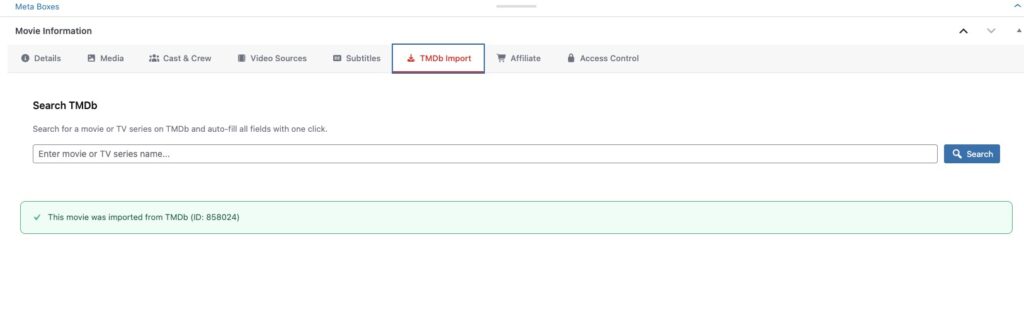
🧩 Steps to Import Content
- Go to Movies → Add New or TV Series → Add New
- Locate the TMDb Import metabox
- Enter:
- Movie/Series name OR
- TMDb ID (recommended for accuracy)
- Click Fetch / Import
- The system will automatically fill:
- Title
- Description
- Images
- Taxonomies
- Cast & crew
- Review the imported data
- Click Publish
💡 Why This Is Powerful
- No need to switch pages
- Faster workflow
- Import while editing content
- Saves time on manual entry
⚠️ Important Notes
- Imported content does not include video sources
- You must manually add streaming links
- Always review imported data before publishing
