
Configuration
Email Templates (Customize System Emails)
The Email Templates system allows you to customize all system-generated emails sent to users and admins.
You can control:
- Email design (logo, colors, layout)
- Email content (subject & body)
- Notification types (welcome, payment, referral, etc.)
- Dynamic personalization using smart tags
👉 This ensures your platform maintains a professional and branded communication experience.
🎯 What You Can Do
- Customize email templates visually
- Enable/disable specific notifications
- Use dynamic variables (e.g.,
{user_name}) - Brand emails with logo, colors, and footer
- Send test emails before going live
🧭 Email Settings Structure
🧾 Global Settings
Controls the overall email configuration and branding.
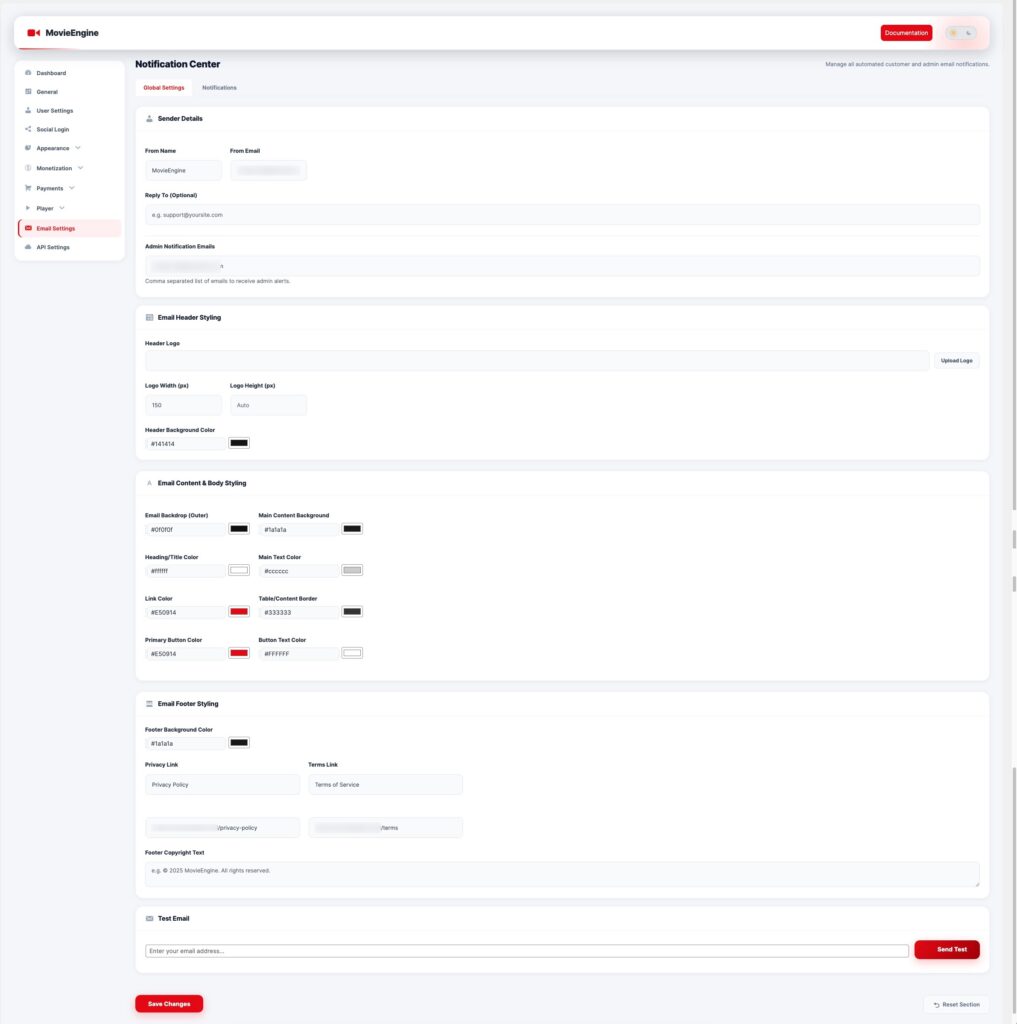
📦 Sender Details
| Field | Description |
|---|---|
| From Name | Name shown as sender |
| From Email | Sender email address |
| Reply To | Optional reply email |
| Admin Emails | Comma-separated admin notification emails |
🎨 Email Header Styling
- Upload logo
- Set logo width & height
- Header background color
🎨 Email Body Styling
- Email background color
- Content background
- Text & heading colors
- Link color
- Button color
🔻 Email Footer Styling
- Footer background color
- Privacy policy link
- Terms & conditions link
- Footer copyright text
🧪 Test Email
- Send test email to verify configuration
- Useful before going live
🔔 Notifications (Email Templates)
This section allows you to manage individual email templates.
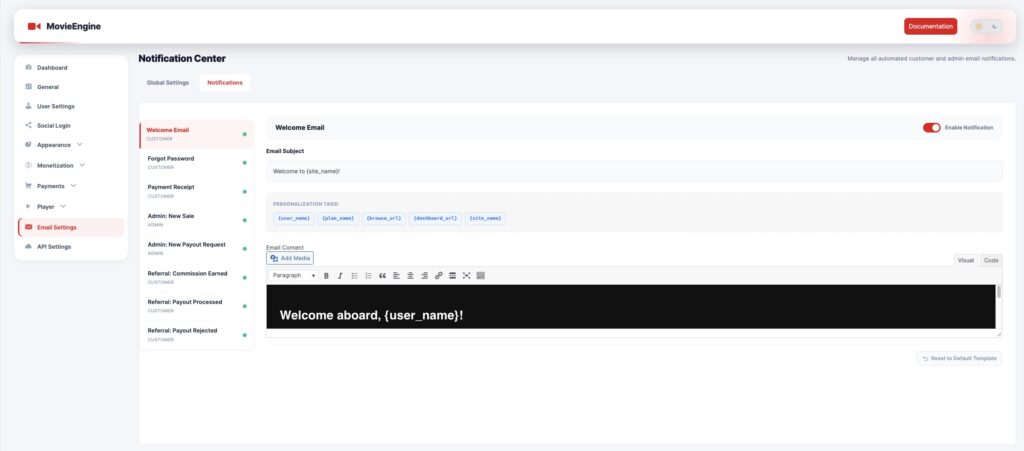
📦 Available Email Types
👤 User Emails
- Welcome Email
- Forgot Password
- Payment Receipt
- Referral Commission Earned
- Referral Payout Processed
- Referral Payout Rejected
🛠 Admin Emails
- New Sale Notification
- New Payout Request
✏️ Template Customization
Each email includes:
🧾 Email Subject
Define the subject line of the email.
Example:
Welcome to {site_name}!
🏷️ Personalization Tags
Use dynamic variables:
| Tag | Description |
|---|---|
{user_name} | User name |
{plan_name} | Membership plan |
{dashboard_url} | Dashboard link |
{browse_url} | Browse page |
{site_name} | Website name |
📝 Email Content
- Visual editor (WYSIWYG)
- HTML support (Code mode)
- Add images, links, formatting
🔘 Enable / Disable Notification
- Toggle each email on/off
- Disable unnecessary emails
⚙️ How It Works
User performs action (register, purchase, etc.)
   ↓
System triggers email event
   ↓
Template loads with dynamic data
   ↓
Email sent to user/admin
🎯 Use Cases
- Welcome new users
- Send payment confirmations
- Notify admins of sales
- Manage referral system emails
- Reset password emails
🧠 Best Practices
- Use clear and simple subject lines
- Add branding (logo + colors)
- Keep email content short and readable
- Always test emails before launch
- Use personalization tags for better engagement
⚠️ Important Notes
- Requires proper email configuration (SMTP recommended)
- Emails may go to spam without authentication (SPF/DKIM)
- Always test after changes
