
Content Management
Adding Content Manually (Movies & TV Series Step-by-Step)
Movie Engine allows you to manually add movies and TV series directly from your WordPress dashboard. This method gives you full control over content, metadata, and video sources.
🎬 Adding a Movie
Follow these steps to create a new movie:
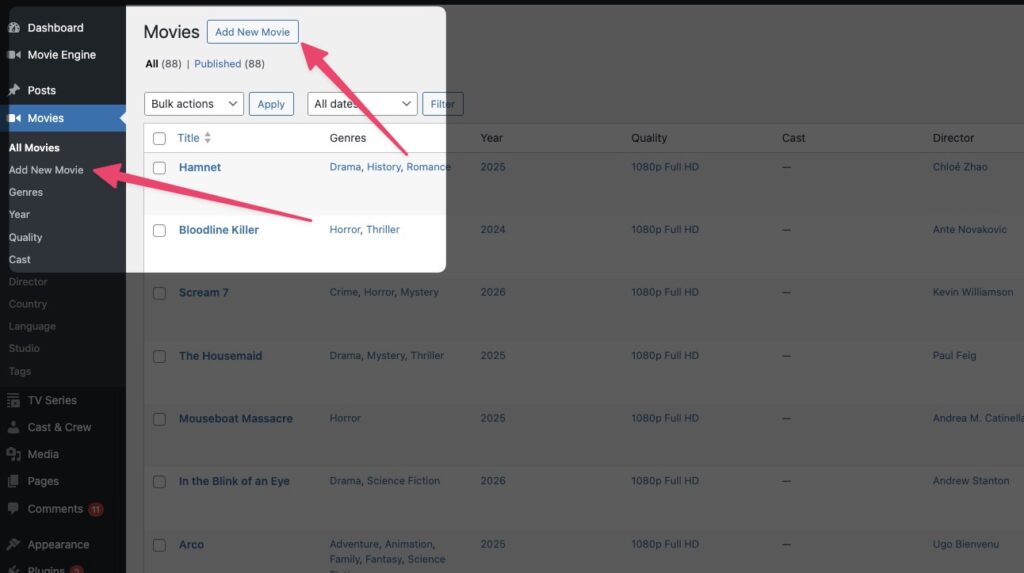
Step 1: Open Add New Movie
- Go to Movies → Add New
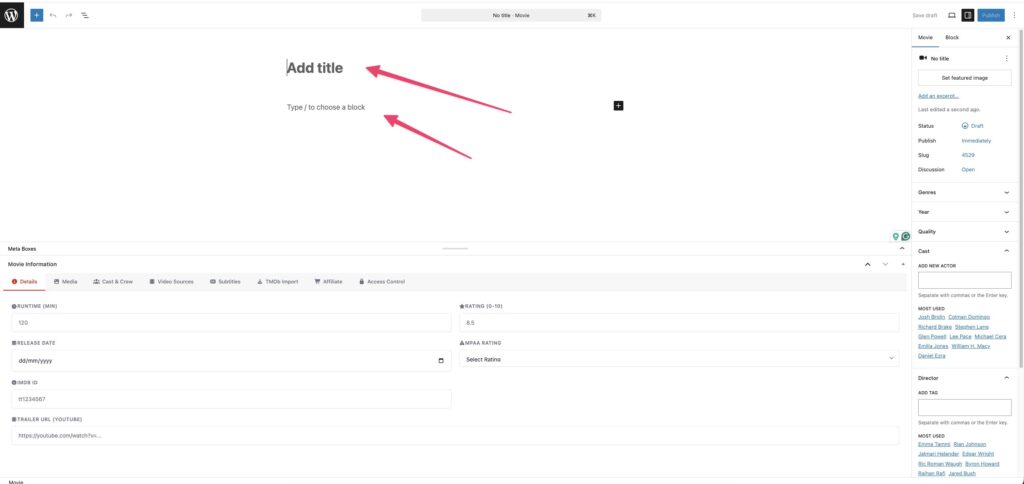
Step 2: Enter Basic Information
- Add Movie Title
- Write a Description / Overview
These details will be displayed on the frontend.
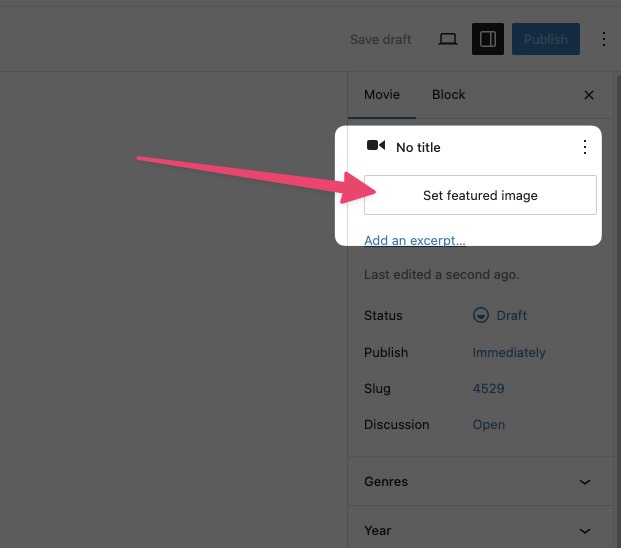
Step 3: Upload Poster & Backdrop
- Upload Poster Image
- Upload Backdrop Image (optional but recommended)
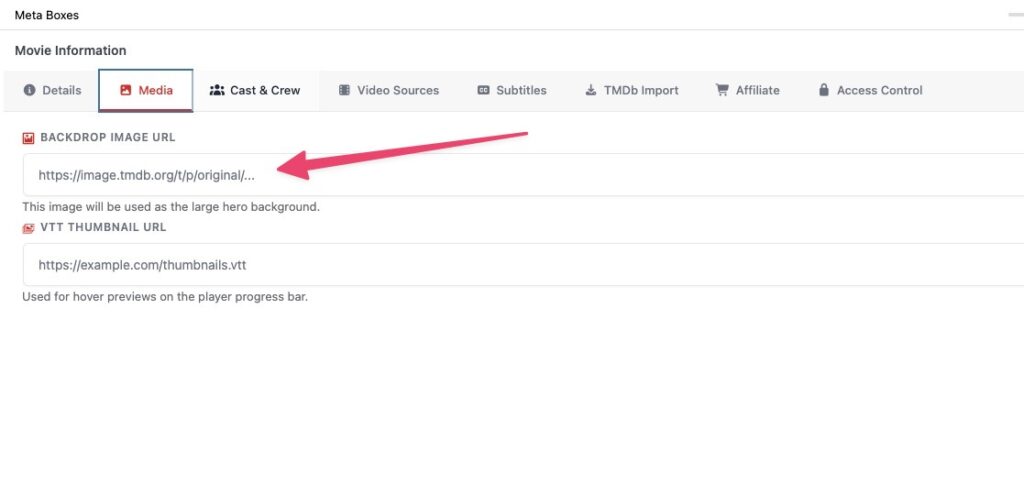
These images improve the visual presentation.
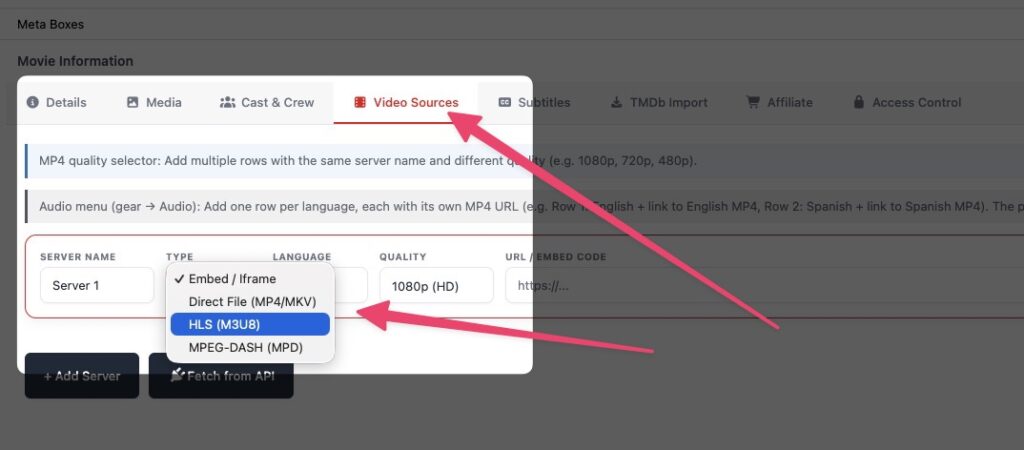
Step 4: Add Video Source
- Add your video URL (MP4, HLS, DASH)
- Configure player options if available
Supported formats:
- MP4 (Direct file)
- HLS (.m3u8 streaming)
- DASH (if enabled)
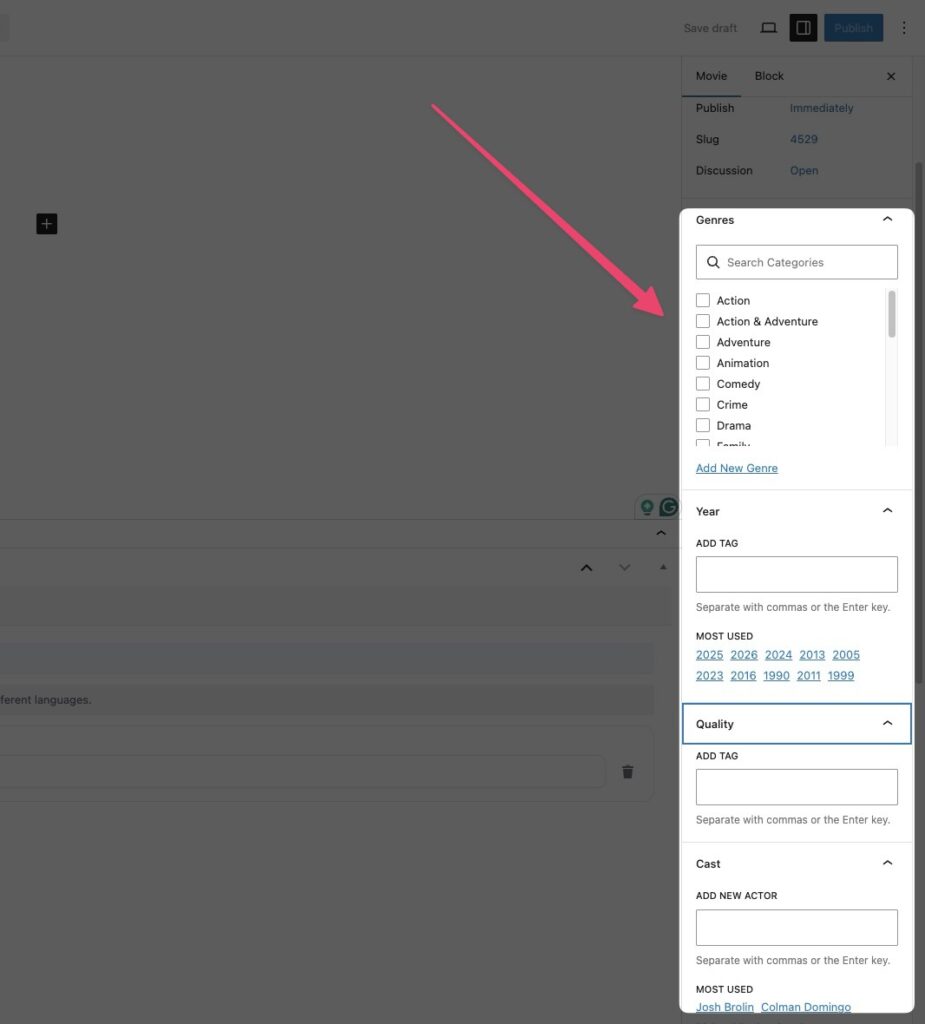
Step 5: Assign Taxonomies
- Select Genres
- Choose Country & Language
- Add Tags, Year, Quality, etc.
This helps organize and filter your content.
Step 6: Add Cast & Crew
- Assign actors, directors, and other roles
- Add or select existing cast members
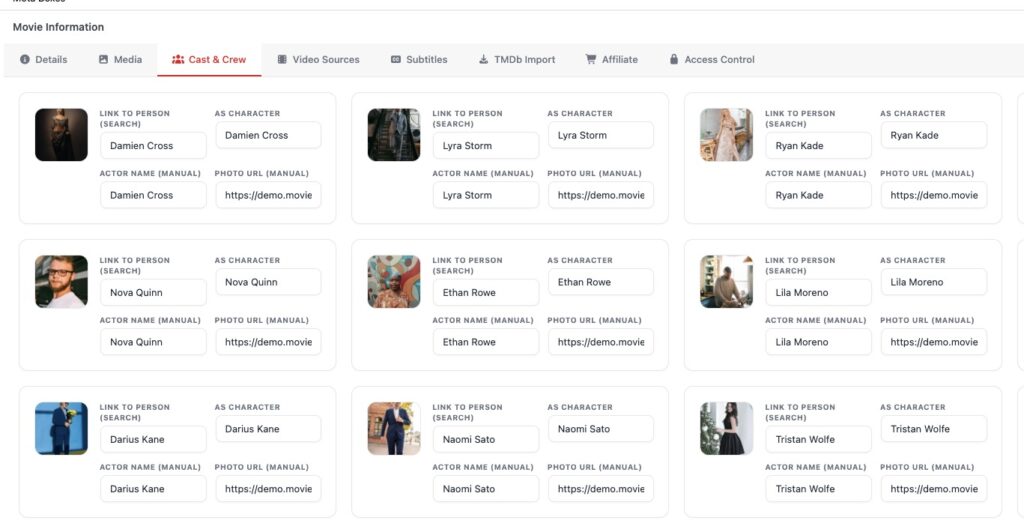
For detailed instructions, please visit the Cast & Crew Management documentation page.
Step 7: Publish Movie
- Click Publish
