
Multi Server Setup (Switch Between Sources)
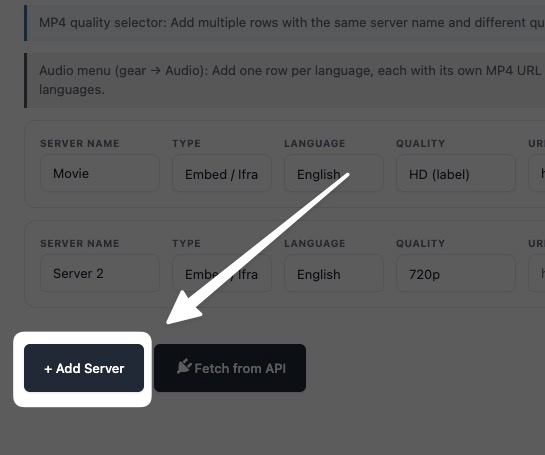
MovieEngine multi server setup switch sources: You can add multiple video sources for the same content, so viewers can switch between servers if one fails or buffers. Set up multiple servers — for example Server 1 → MP4, Server 2 → HLS, Server 3 → Embed — for backup, better uptime, and manual switching, with automatic fallback when a source fails.
Why use multiple servers?
- Backup if one fails
- Better uptime
- The user can switch manually
Example:
- Server 1 → MP4
- Server 2 → HLS
- Server 3 → Embed
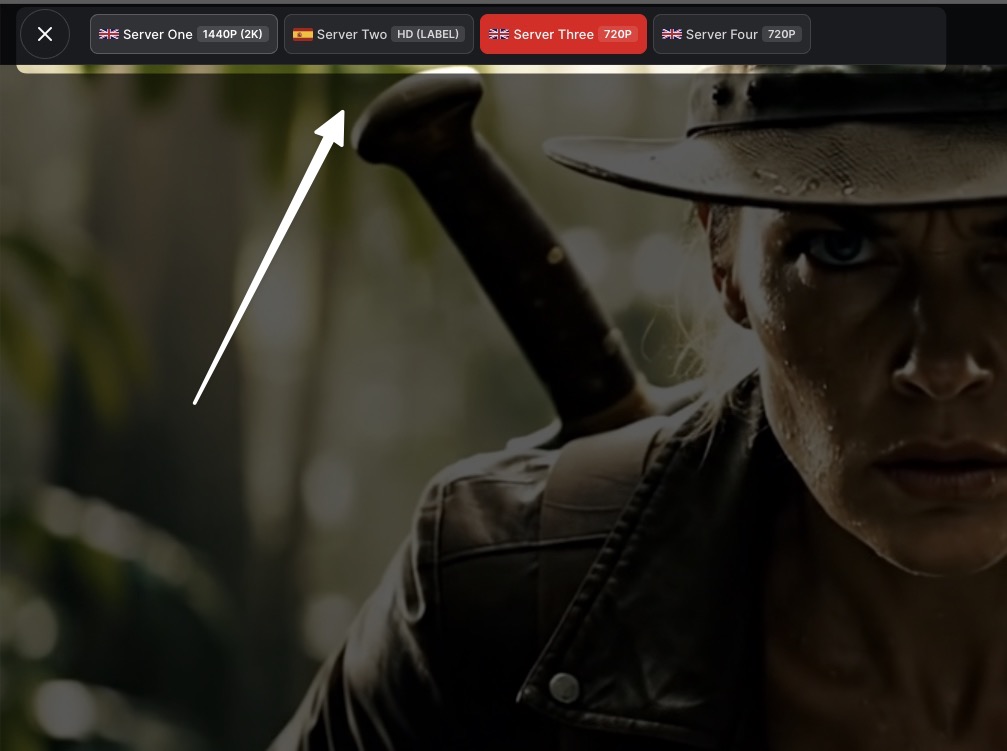
Front Page Tab Menu
Features:
- Automatic fallback system
- Manual server switching
- Improved uptime
How It Works:
If one server fails or buffers, the player can switch to another available source.
Use Case:
Useful for high-traffic OTT platforms where server reliability is critical.
MovieEngine multi server setup switch sources explained
With multiple servers, the player has more than one source for the same movie or episode. If one server fails or buffers, the player can switch to another available source, so playback keeps going instead of stopping. This automatic fallback system, combined with manual server switching, gives viewers a way to pick a working source and improves uptime, which matters most on high-traffic OTT platforms where server reliability is critical.
Add the same content’s sources as separate servers — for example Server 1 → MP4, Server 2 → HLS, and Server 3 → Embed — and label them clearly so viewers can switch manually. Start with Settings Overview and Video Player for the configuration area, then follow the linked guides for adding sources and troubleshooting playback.
Frequently asked questions
What does MovieEngine Multi Server Setup (Switch Between Sources) cover?
This guide covers MovieEngine Multi Server Setup (Switch Between Sources), with steps and settings for your platform.
Where is this setting in MovieEngine?
Find it in the MovieEngine configuration area, as linked from Settings Overview and Video Player.
What should I check if it does not work?
Recheck the settings in this guide, then check the related troubleshooting and overview guides.
Related guides
Tip: For more about MovieEngine, visit the MovieEngine website.
