
Video Player
Adding Video Sources (URLs & Streaming Servers)
To play videos in Movie Engine, you need to add video sources to your movies, TV series, or episodes. These sources can be direct files, streaming URLs, or external embeds.
🎥 What is a Video Source?
A video source is the actual video URL or stream used by the player.
Movie Engine does not provide video files, so you must add your own sources.
📍 Where to Add Video Sources
You can add video sources from:
- Movie edit page
- TV Series → Episode edit page
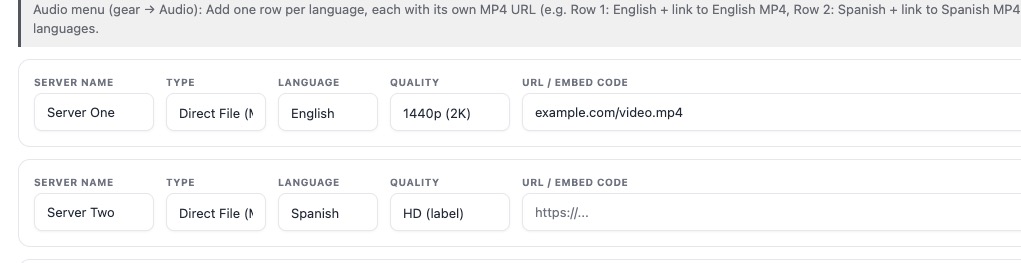
Step-by-Step: Add Video Source
Step 1: Open Content Editor
- Go to Movies or TV Series → Episodes
- Click Add New or Edit
Step 2: Locate “Video Sources” Section
Scroll down to find the Video Sources panel.
Step 3: Click “Add Source”
Click the button to add a new video source.
Step 4: Select Source Type
Choose one of the supported formats:
- Direct File (MP4/MKV)
- HLS (M3U8)
- MPEG-DASH (MPD)
- Embed / iFrame
Step 5: Add Video URL
Enter your video link.
Examples:
MP4
https://example.com/video.mp4HLS
https://example.com/stream.m3u8DASH
https://example.com/stream.mpdEmbed
https://www.youtube.com/embed/xxxxStep 6: Set Source Name
Give your source a label (this is visible to users):
Examples:
- Server 1
- HD Server
- Backup Server
- Stream 1
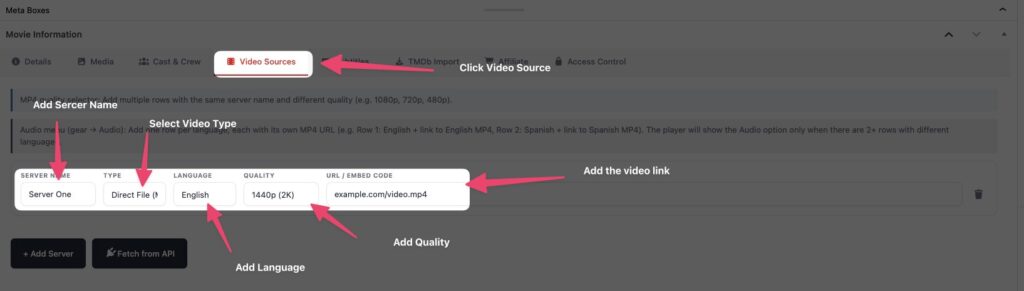
Step 7: Save Content
Click Publish or Update to save your changes.
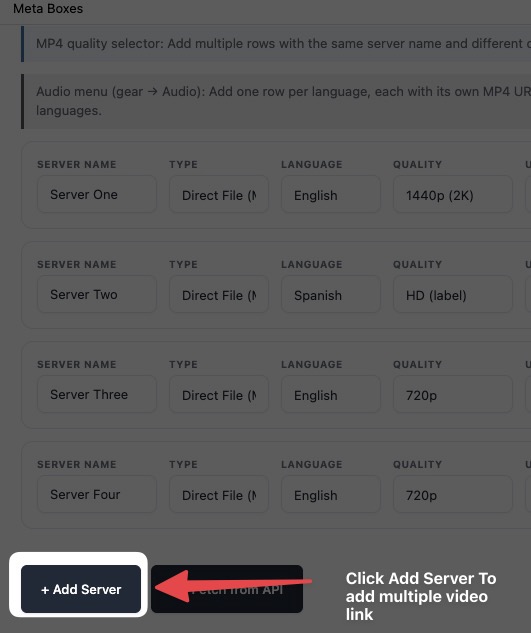
🔁 Adding Multiple Servers
You can add multiple video sources for the same content.
Why use multiple servers?
- Backup if one fails
- Better uptime
- The user can switch manually
Example:
- Server 1 → MP4
- Server 2 → HLS
- Server 3 → Embed
⚠️ Important Notes
- The video will not play without a valid source
- Always test links before publishing
- Some formats require specific players
- Use HTTPS links for best compatibility
💡 Best Practices
- Use HLS (M3U8) for best streaming performance
- Add at least 2 servers for reliability
- Use clear labels (HD, Backup, etc.)
- Avoid broken or expired links
🚫 Common Mistakes
- Adding invalid or private URLs
- Using unsupported formats
- Forgetting to save changes
- Not selecting the correct player
