
User Features
Playlist (Create & Manage Collections)
The Playlist feature allows users to organize movies and TV series into custom collections for easier access and better content management. Unlike the Watchlist (which is a simple “save for later”), playlists provide a structured and personalized way to group content based on user preferences.
Users can create multiple playlists, add or remove content anytime, and build their own curated viewing experience—similar to how users create playlists in music streaming platforms.
⚙️ How Playlists Work
Playlists are fully user-controlled collections:
- Click the Playlist icon on any movie or episode
- A pop-up will appear with existing playlists
- Select a playlist or create a new one
- The content is instantly added
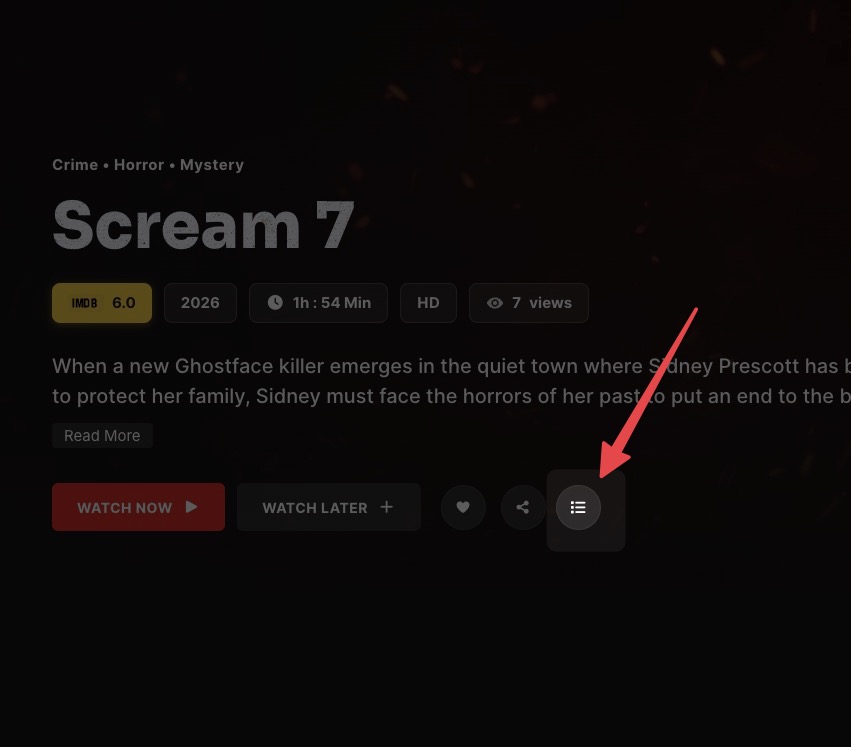
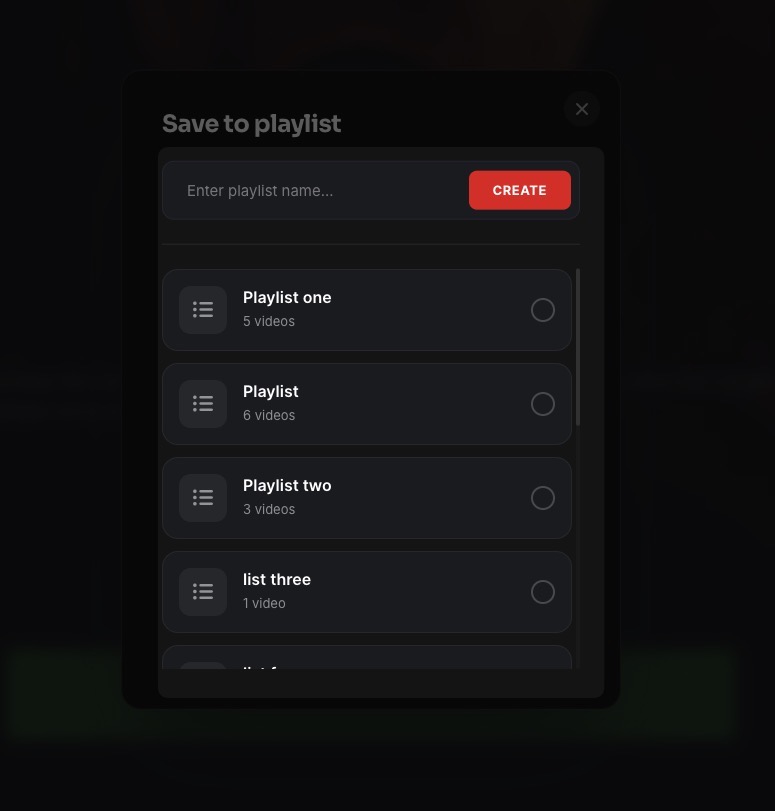
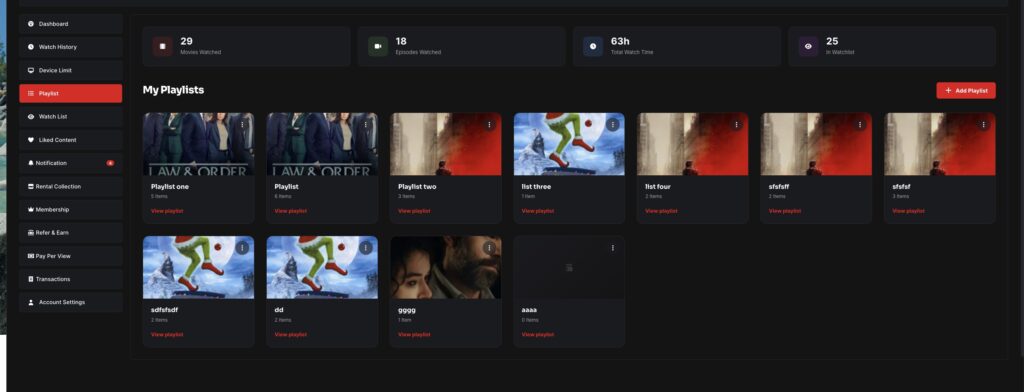
Users can later access all playlists from their dashboard and manage them anytime.
✨ Key Features
- Create unlimited playlists
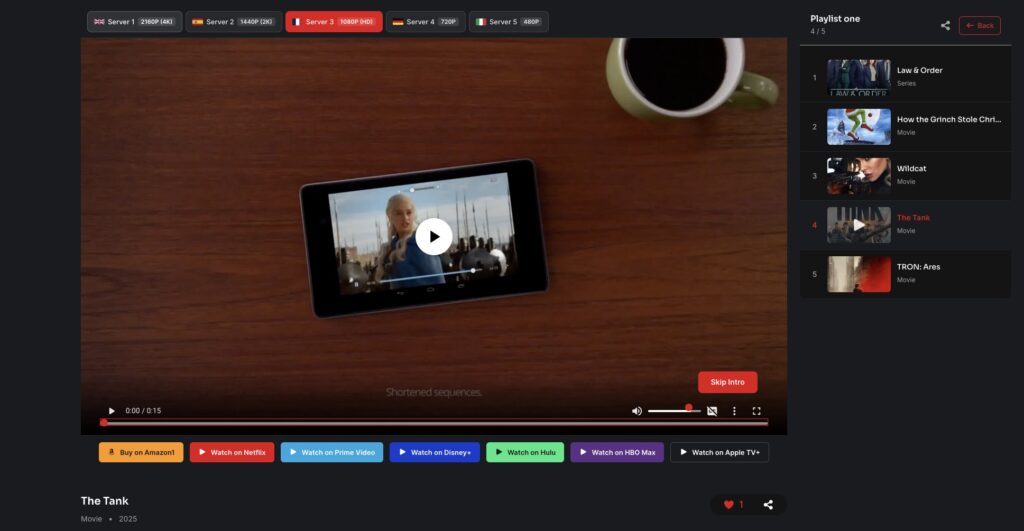
- Add or remove movies and episodes
- Organize content by categories (e.g., Action, Favorites, Watch Later)
- View total items inside each playlist
- Quick access from user dashboard
- Clean popup interface for fast interaction
📂 Managing Playlists
Users can:
- Create new playlists
- Rename playlists
- Delete playlists
- Remove specific items
- Browse playlist content
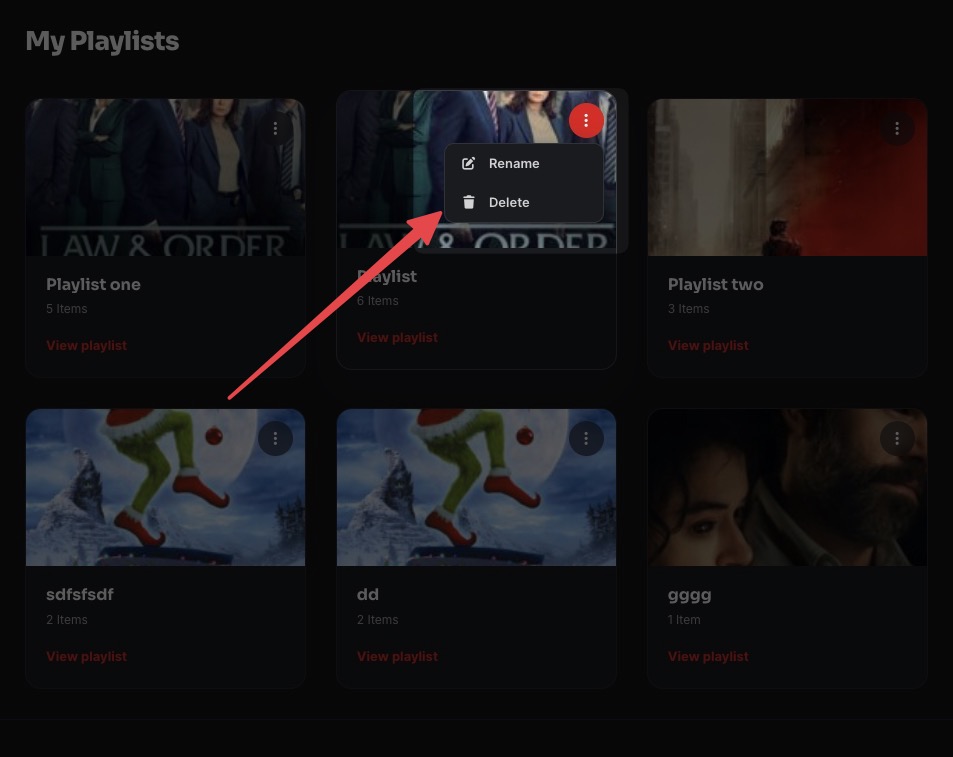
This gives full flexibility in managing personal collections.
🎯 Use Cases
- 🎥 “Weekend Watch” playlist
- 🔥 “Top Action Movies” collection
- ❤️ “Favorites” list
- 👨👩👧 “Family Movies” playlist
