
Configuration
Payment Settings
The Payment Settings module allows you to manage all monetization features of your OTT platform, including:
- Payment gateways (Stripe, etc.)
- Transactions & logs
- Subscriptions & memberships
- Coupons & discounts
- Revenue tracking
👉 This is the core financial system of your platform.
🎯 Overview Dashboard
The Overview tab provides a quick summary of your platform performance.
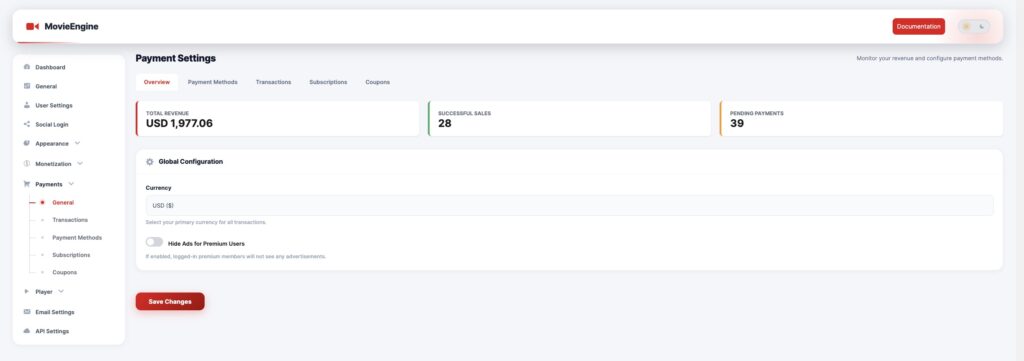
📊 Metrics
- Total Revenue → Total earnings from all payments
- Successful Sales → Completed transactions
- Pending Payments → Payments not completed or awaiting confirmation
⚙️ Global Configuration
📦 Settings
| Setting | Description |
|---|---|
| Currency | Set your default currency (e.g., USD, EUR) |
| Hide Ads for Premium Users | Disable ads for paid members |
👉 This affects all transactions and monetization logic.
Configure and enable payment gateways.
🔌 Stripe Integration
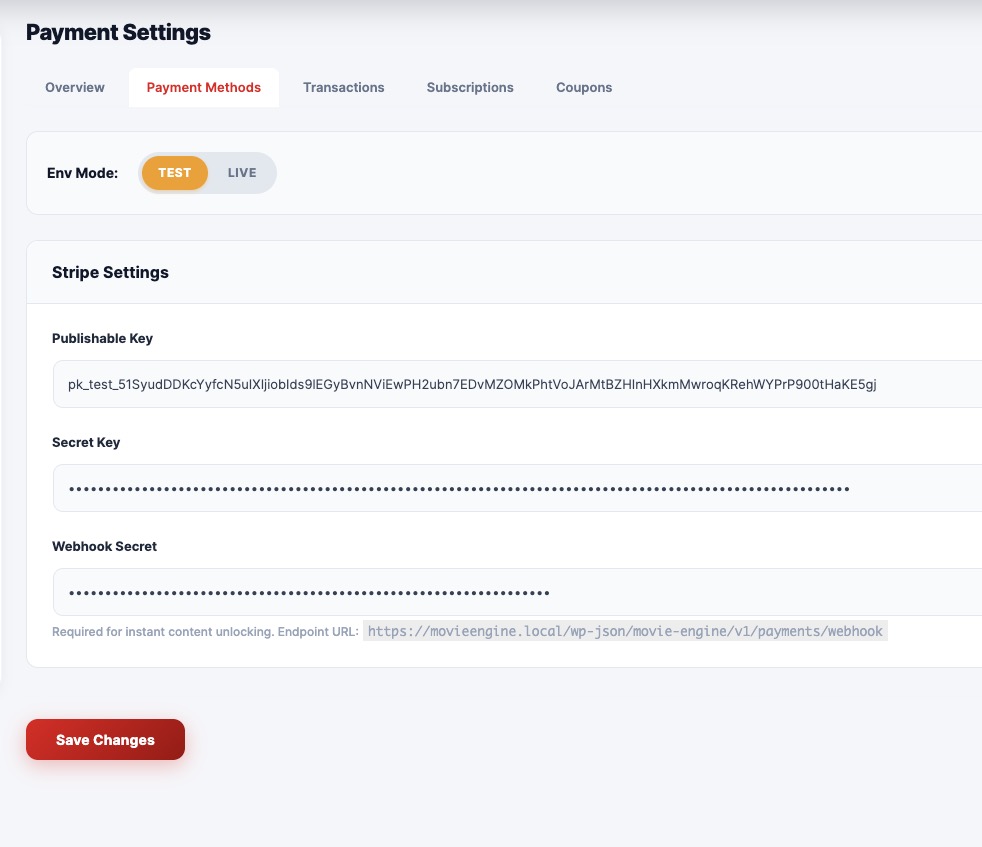
📦 Fields
| Field | Description |
|---|---|
| Environment Mode | Switch between Test and Live |
| Publishable Key | Public API key |
| Secret Key | Private API key |
| Webhook Secret | Required for real-time updates |
⚙️ Important Notes
- Use Test mode during development
- Switch to Live mode for production
- Webhook is required for:
- Subscription updates
- Payment confirmations
- Instant content access
📄 Transactions
Track all payment activities on your platform.
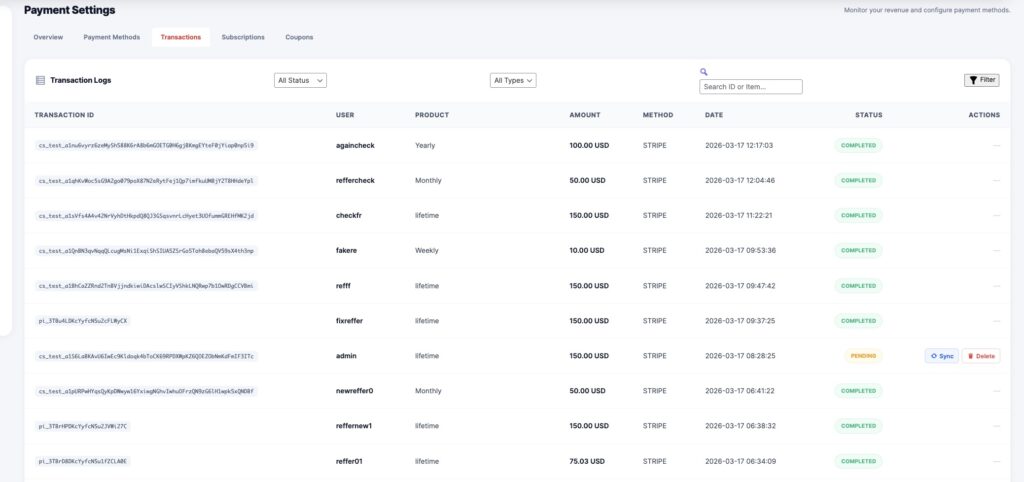
📊 Transaction Data
| Column | Description |
|---|---|
| Transaction ID | Unique payment ID |
| User | The customer who made the payment |
| Product | Plan or content purchased |
| Amount | Payment value |
| Method | Payment gateway (e.g., Stripe) |
| Date | Transaction time |
| Status | Completed / Pending |
🔎 Features
- Filter by status
- Filter by type
- Search transactions
- Sync or delete records
🔁 Subscriptions
Manage all user subscriptions and plans.
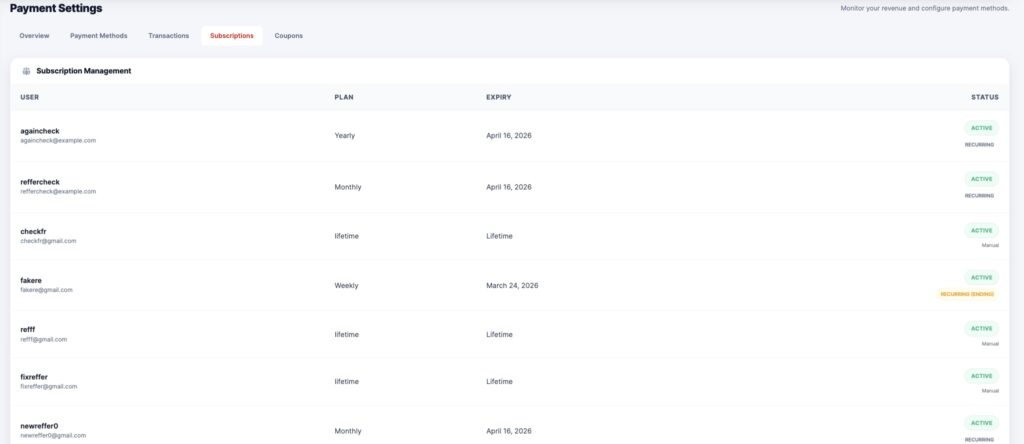
📊 Subscription Data
| Column | Description |
|---|---|
| User | Subscriber |
| Plan | Subscription plan (Monthly, Yearly, Lifetime) |
| Expiry | Expiration date |
| Status | Active / Expired / Recurring |
⚙️ Features
- View active subscriptions
- Track expiry dates
- Identify recurring users
- Manage lifetime plans
🎟 Coupons
Create and manage discount coupons.
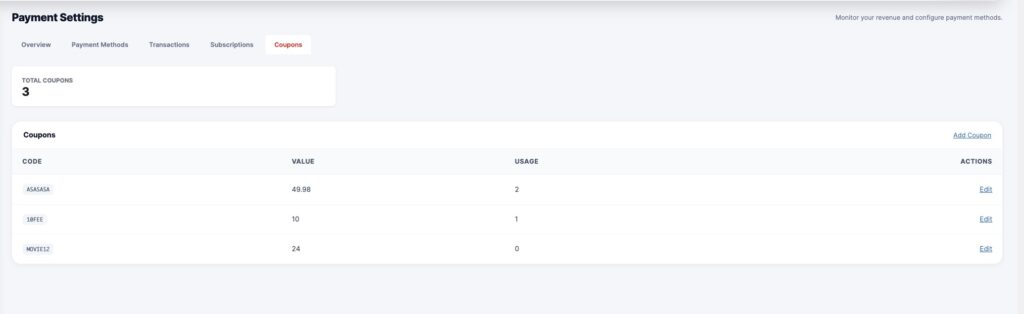
📊 Coupon Data
| Column | Description |
|---|---|
| Code | Coupon code |
| Value | Discount amount |
| Usage | Number of times used |
⚙️ Features
- Create new coupons
- Edit existing coupons
- Track usage count
- Apply discounts to plans or content
⚙️ How the Payment System Works
User selects plan or content
   ↓
Chooses payment method (Stripe)
   ↓
Payment is processed
   ↓
Transaction recorded
   ↓
Access granted (Subscription / PPV)
🎯 Use Cases
- Sell subscription plans (Netflix-style)
- Pay-per-view content
- Offer discount campaigns
- Track revenue growth
- Manage customer payments
🧠 Best Practices
- Always test payments in Test Mode first
- Configure the webhook correctly
- Use coupons for marketing campaigns
- Monitor failed or pending transactions
- Keep currency consistent
⚠️ Important Notes
- Stripe requires valid API keys
- Webhook must be configured for real-time updates
- Payments may fail without proper setup
- Always verify transactions before granting access
