
Cast & Crew Management (Actors, Directors & Metadata)
Movie Engine provides a built-in system to manage cast and crew information for movies and TV series. This allows you to display detailed information about actors, directors, and other contributors, creating a professional OTT-style experience.
Cast & Crew data helps enrich your content pages by showing:
- Actors (Cast)
- Directors
- Writers
- Producers
Each person can be reused across multiple movies and TV series, making content management efficient and consistent.
➕ Adding Cast & Crew Members
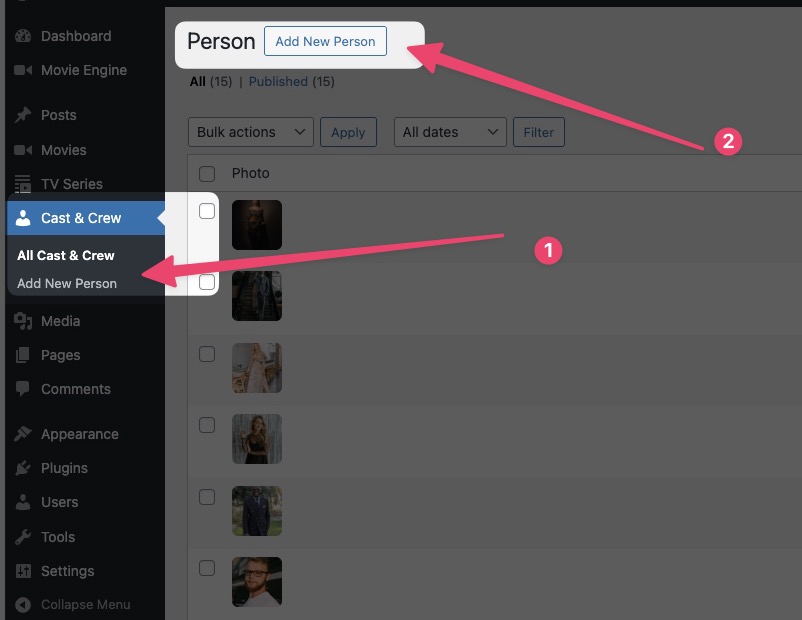
Before assigning cast to content, you need to create cast/crew profiles.
Steps:
- Go to Cast & Crew → Add New
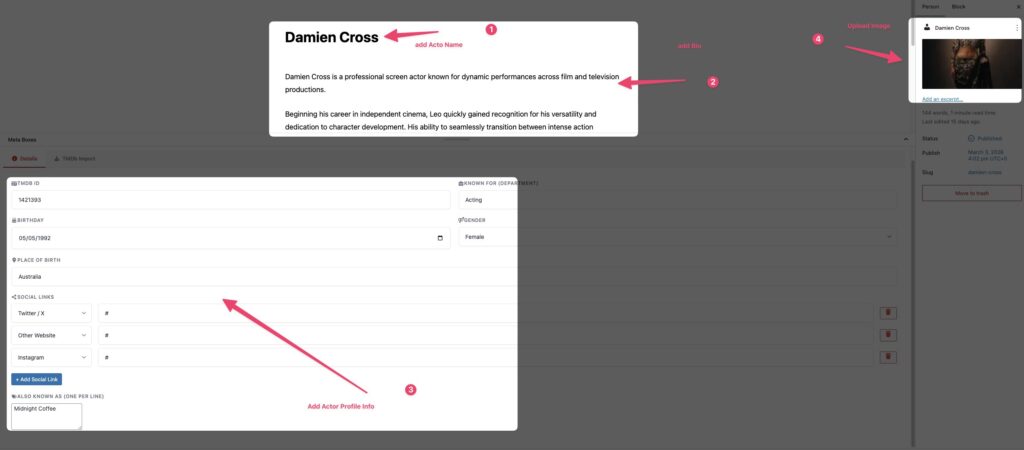
- Enter:
- Name (e.g., Robert Downey Jr.)
- Profile Image
- Description / Bio (optional)
- Click Publish
🧩 Assigning Cast & Crew to Content
You can assign cast and crew members while adding or editing a movie or TV series.
Steps:
- Open Add/Edit Movie or TV Series
- Locate the Cast & Crew section
- Select existing members or add new ones
- Assign roles (Actor, Director, etc.)
- Save or publish
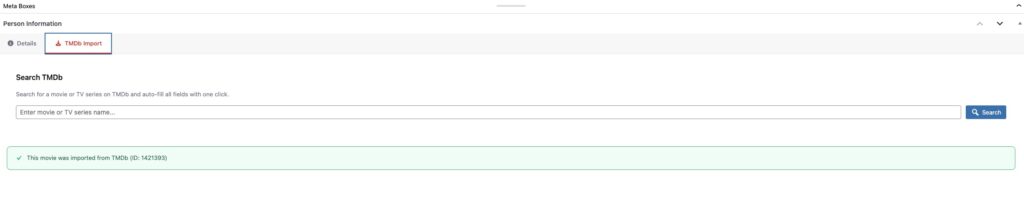
Inport from TMDb
🎯 Supported Roles
Movie Engine supports multiple roles for better content structure:
- Actors – Appearing in the content
- Directors – Responsible for directing
- Writers – Story and script creators
- Producers – Production management
You can extend or customize roles if needed (developer customization).
🔍 How Cast & Crew Appears on Frontend
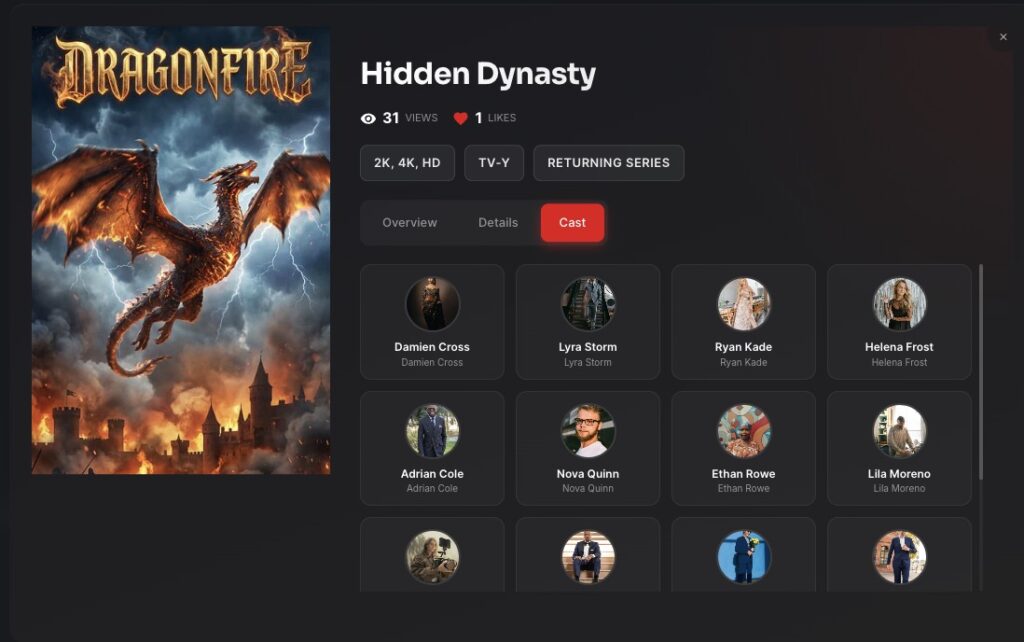
Once assigned, cast and crew information will be displayed on:
- Movie detail pages
- TV series pages
- Episode pages
This enhances:
- Content presentation
- User engagement
- Professional look and feel
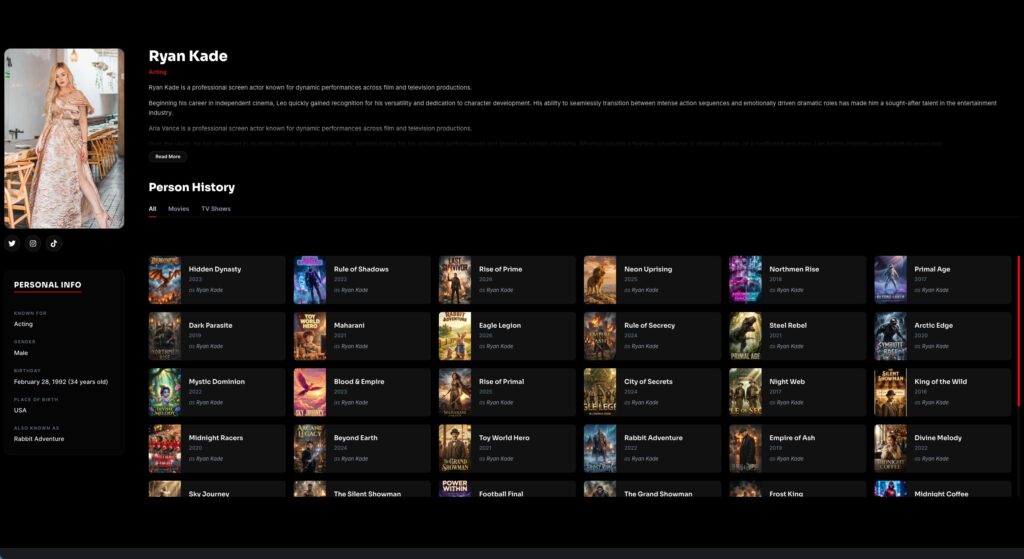
🔄 Managing Cast & Crew
You can:
- Edit existing profiles
- Update images and information
- Reuse cast across multiple content
- Remove or replace roles
⚠️ Common Mistakes
- Not adding profile images
- Duplicate entries for same actor
- Missing role assignment
- Inconsistent naming
💡 Pro Tips
- Use real names and high-quality images
- Avoid duplicate entries (reuse existing profiles)
- Add short bios for better presentation
- Keep role assignments accurate
