Monetization & Users
Pay Per View (Charge per Movie/Episode)
Pay Per View (PPV) allows you to sell individual movies or episodes by charging users a one-time fee for access. Unlike subscription-based models, users do not need an active membership plan — they can simply purchase specific content they want to watch. This makes PPV ideal for offering premium, exclusive, or early-access content while giving users more flexible payment options.
🛠️ How to Enable PPV
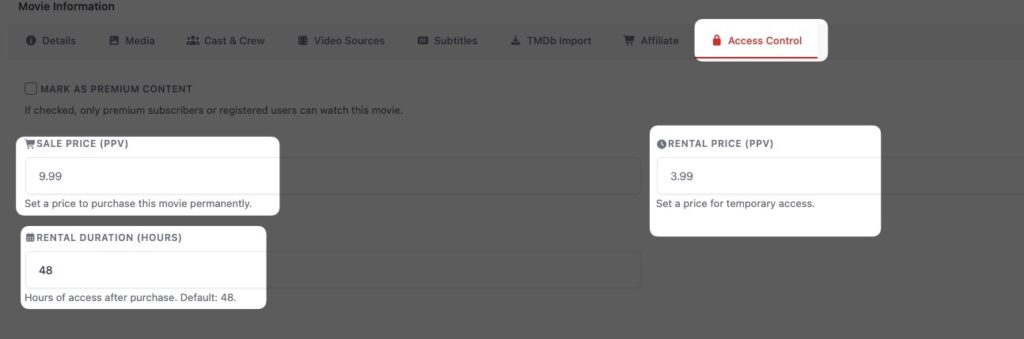
- Go to Movie / Episode edit page
- Open Access Control
- Select Pay Per View
- Set price
⚙️ How It Works
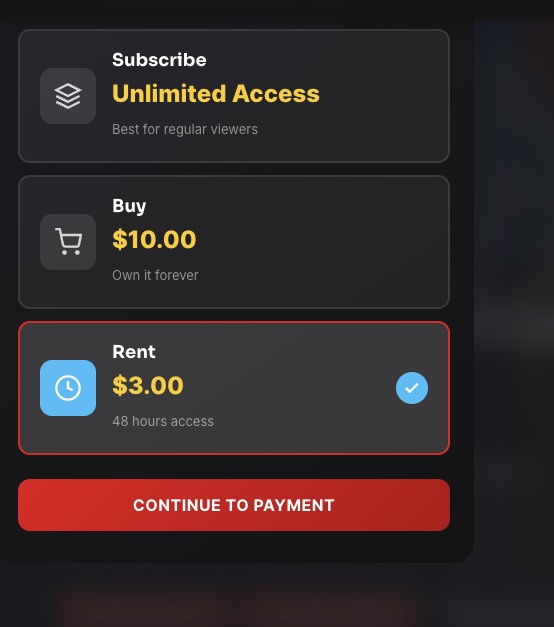
- User clicks “Unlock”
- Completes payment
- Gets access instantly
🎯 Use Cases
- Premium movies
- Exclusive episodes
- Special releases
💡 Best Practice
Offer both:
- Subscription (bulk access)
- PPV (premium content)