
A movie database is more than a place to store titles. It is the structure…

How to Start a Streaming Service: Licensing, Hosting, and Monetisation with WordPress and MovieEngine
Independent creators and small media businesses can now build a professional video on demand platform on WordPress — and MovieEngine is the plugin that turns a WordPress site into its catalogue, player, and storefront. The hard part is not the technology but the order: rights first, then content, then hosting, then the website, then monetisation.
This guide walks through every step of how to start a streaming service with MovieEngine, from licensing to the player, the catalogue, and the revenue model. MovieEngine is the core of this route: the WordPress plugin that runs your streaming site. It does not host video or license content, and it does not replace the decisions only you can make. The same steps answer how to start a video streaming business, whether you are launching a niche catalogue or a full library.
Step 1: Secure the rights before you import anything into MovieEngine
Every streaming service stands or falls on rights, and MovieEngine is no exception: it organises and plays the content you give it, but provides no licensed content — no Netflix catalogue, no studio library. Before you install anything, know which titles you may stream and where. Owning a DVD or download does not give you streaming rights: streaming is a separate public-performance right, licensed from the rights holder.
Four routes work: direct licensing from studios or distributors; aggregators that bundle rights; public-domain films, verified title by title; and original productions you make or commission. Anyone researching how to start a streaming service should treat licensing as the first budget line, not an afterthought: rights often cost far more than software and hosting combined.
The most common mistake in how to start a streaming service with MovieEngine is importing titles first and asking about rights later. Unlicensed content can be taken down and expose you to legal claims, so only publish content you have rights to, and record every licence, territory, and expiry date.
Step 2: Choose your business model — and the MovieEngine plan that fits it
Your revenue model shapes every later decision, including the MovieEngine version you need. The established models are SVOD, TVOD, and advertising. An svod streaming service charges a recurring subscription for unlimited viewing — a Pro feature, so this model needs Pro.
TVOD charges per title, as a rental or purchase — also Pro features. Advertising-supported viewing is free to the audience and earns from ads; the free version already supports banner ads and affiliate buttons, so an ad-supported service can start free. A hybrid is common: a free ad-supported tier, a subscription tier, and pay-per-view for premium titles. When you plan how to start a streaming service around a niche audience, let the audience choose the model, not the other way around.
A small, passionate audience for classic films will often pay a subscription a broad general audience would not. Price your tiers only after you know your costs, and keep the offer simple — one subscription tier and one rental option are enough to learn what your audience pays for. That mapping is the practical core of how to start a streaming service without paying for unneeded features.
Step 3: Build your catalogue in MovieEngine
Content is what subscribers pay for — in MovieEngine, the catalogue is the site. The plugin adds movies, series, seasons, episodes, and people pages to WordPress, so your library becomes browsable. Start with a clear niche and a realistic launch library: fifty to a hundred focused titles in one genre beat a scattered catalogue. Each title needs a video file, poster, synopsis, and licence terms; series add seasons and episodes, each with its own file. MovieEngine fills in much of that metadata:
The free version imports one title at a time from TMDb, and Pro adds bulk import for large catalogues. This is where a video-on-demand platform earns its keep: viewers should find a title in seconds and press play. If you are working out how to start a streaming service on a small budget, curate ruthlessly: launch with a catalogue you can describe in one sentence.
You can grow the library after launch, but not recover from one where visitors find nothing to watch. Keep a content calendar, so titles leave on schedule. That discipline is part of how to start a streaming service that survives its first year.

Step 4: Arrange video hosting — MovieEngine does not host video
Video hosting is a separate responsibility from your website. Your WordPress site with MovieEngine holds the catalogue, player, and user accounts. Your video files live on a video host or CDN, and the player streams them. MovieEngine does not host video, so arrange hosting yourself: a dedicated video host, a cloud bucket with a CDN, or a third-party service such as Cloudflare Stream — a separate service, not part of MovieEngine.
HLS is the standard for adaptive streaming; MP4 is a simpler fallback, and MovieEngine’s player supports both, with a multi-server switcher. Test playback on a slow connection and a phone before launch: buffering loses new subscribers fast. Hosting costs grow with viewing, so check how your host charges.
OTT platform development looks like one job, but it is several: rights, content, hosting, player, site, and payments. The discipline in how to start a streaming service is to treat each as its own decision, with its own provider and cost. That separation is the first test of how to start a streaming service without unpleasant surprises later.

Step 5: Build the streaming site with WordPress and MovieEngine
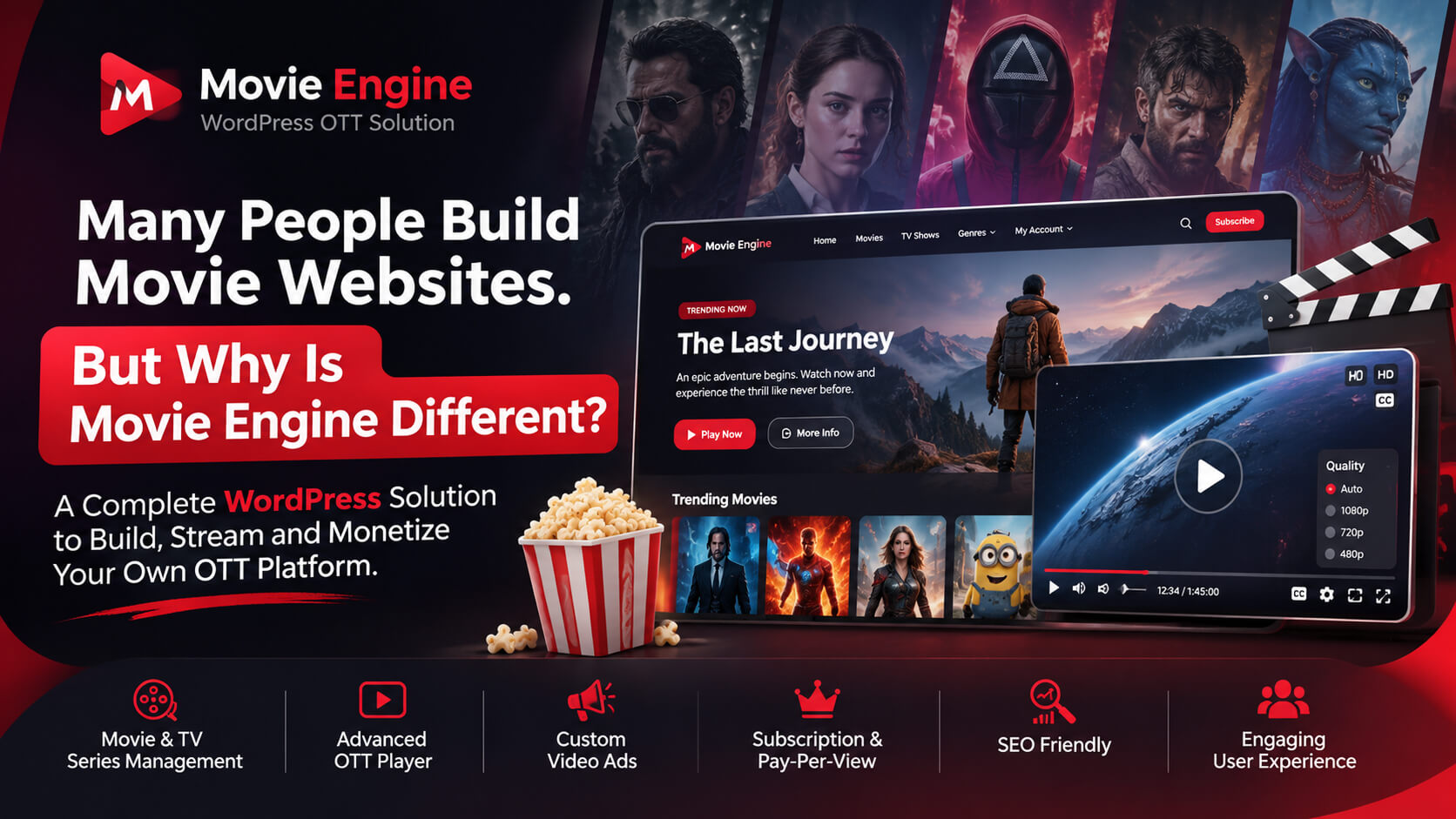
With rights, content, and hosting arranged, the website brings them together — the job MovieEngine does. MovieEngine is a WordPress plugin by ThemePul — not a video host, video player plugin, template or theme, or website builder. It adds the streaming catalogue to a WordPress site you already run: movies, series, seasons, episodes, and people pages, with HLS and MP4 playback, multi-server switching, subtitles, and resume.
The free version, Cine Movie Engine, covers the catalogue, single-title TMDb import, watchlists, Continue Watching, Telegram, banner ads, and affiliate buttons. Pro adds MPEG-DASH, SVOD subscriptions and TVOD pay-per-view and rentals with Stripe and PayPal, promo codes, bulk TMDb import, and VAST ads. It needs WordPress 6.4+ and PHP 7.4+. Install it like any plugin; the installation guide walks through setup.
Try the live demo and read the documentation. The practical path for how to start a streaming service on WordPress: install the free version, import a few titles, connect your video host, and test the viewing journey as a visitor. Add Pro when you need subscriptions, rentals, or VAST ads — the features that turn a catalogue into a business.
That staged approach is the honest answer to how to start a streaming service without overspending: pay for the catalogue layer when it earns its keep, and spend early budget on rights and hosting. Every guide to how to start a streaming service should draw this line clearly: confusing the catalogue with the hosting layer leaves a new service with a site and nowhere to stream from. Keep WordPress, your theme, and your plugins updated — the service still depends on the rights, content, and delivery you arranged earlier.

Step 6: Turn the catalogue into revenue with MovieEngine Pro
Monetisation is where your Step 2 model becomes real features, mostly in Pro. With Pro, subscriptions and pay-per-view are built in: SVOD plans with Stripe and PayPal, TVOD rentals and purchases, promo codes, and VAST ads. The free version supports banner ads and affiliate buttons, for services earning from sponsors while they grow.
The monetisation overview explains which features belong to each version. Plugin pricing is separate from your subscription prices: Starter $59.99, Pro $112.99, Agency $172.99 per year, on the pricing page. Set viewer prices from your costs — rights, hosting, payment fees, the plugin plan — then price a subscription that covers them. Offer a free trial if it fits your model, and make cancelling easy — a service that traps subscribers loses trust fast.
Track which titles drive subscriptions and rentals, because the answer to how to start a streaming service that pays for itself is usually a small number of popular titles doing most of the work. That focus separates a plan for how to start a streaming service from a plan for building a website. Reinvest early revenue into rights and content: a bigger catalogue retains subscribers better.

Step 7: Launch checklist
Before launch, walk through the service as a first-time visitor. Play a title on a phone and desktop, on fast and slow connections. Subscribe, cancel, rent, and use a promo code. Check that subtitles load, Continue Watching resumes, and every title has a poster, synopsis, and working playback.
Confirm every licence is current and expiring titles are flagged. Then launch quietly to a small audience, fix what they report, and promote widely. A careful launch is the final step in how to start a streaming service that keeps its first subscribers.
Frequently asked questions
Do I need a licence to stream a film I already own? Yes. Owning a copy gives you private viewing rights, not the right to stream it to an audience. Streaming requires a separate licence from the rights holder. MovieEngine cannot supply that licence.
How much does it cost to launch a streaming service? It varies too widely for a single figure, and anyone budgeting how to start a streaming service should price rights first: rights dominate the budget, hosting scales with viewing, and the site layer is small. MovieEngine plans start at $59.99 per year, but treat that as one line in a budget that starts with licensing.
Can MovieEngine host my videos? No. MovieEngine is the catalogue and player layer on WordPress. Your video files must live on a separate video host or CDN, and the player streams from the links you provide.
Do I need to know how to code? Not for the catalogue layer. WordPress and MovieEngine are configured through the admin area. Licensing, hosting, and content are still yours to arrange — business decisions, not coding tasks. If you are still deciding how to start a streaming service, the deciding question is not technical skill but rights: can you obtain the right to stream the titles you want?
Conclusion
A streaming service is separate responsibilities joined by one website: rights, content, hosting, the player, and payments. MovieEngine handles the WordPress catalogue, player, and monetisation layer; the rest is yours to arrange, and that separation is what makes the service sustainable. Start small, launch with titles you are proud of, and grow the library as the audience grows — that is how to start a streaming service that lasts.
Related Posts
Comments (0)