
A large catalog is only useful when a viewer can find the next film worth…

What is HLS Streaming?
When a viewer presses play on a movie site, the video rarely arrives as one large file. Instead, it arrives as a stream that adapts to the viewer’s connection, device, and screen. That approach, at the heart of what is HLS streaming, is what makes online playback feel smooth on a fast home connection and still usable on a slower mobile network. To explain it plainly, this guide answers what is HLS streaming, how it works, and why it matters for a small movie or series site.
Quick answer
To answer what is HLS streaming in one sentence: it is a way of delivering video over the web in small segments, with a playlist that tells the player which segments to fetch and which quality level to use. The player starts with a quality the connection can handle, then switches up or down as conditions change, instead of forcing every viewer to use the same file.
- Segments first: video is split into short pieces the player fetches in order.
- Playlist second: a text playlist lists those pieces and the available quality levels.
- Adaptation third: the player changes quality as the connection improves or weakens.
- Playback fourth: subtitles, resume, and server switching still work around that stream.
1. The basic idea behind HLS
HLS stands for HTTP Live Streaming, a method that delivers video over the same web protocol used for ordinary pages. That works through standard web hosting and content delivery setups. A site prepares the video once, in several quality levels, and the player requests the pieces it needs, when it needs them.
The practical result is flexibility. A television can receive a sharper version, while a phone with a weak signal receives a lighter version of the same film. When people ask what is HLS streaming, that flexible delivery — one source, several quality levels, chosen by the player — is the core idea to remember.
2. Segments and playlists, in plain terms
Anyone learning what is HLS streaming should start with its two parts: the media segments and the playlist that describes them. The video is cut into short segments, each a small file the player can download on its own. The playlist is a text file, usually with an .m3u8 extension, that lists the segments in order and points to the quality versions available.
When playback starts, the player reads the playlist, downloads the first segments, and keeps fetching the next ones just ahead of the viewer. If the viewer seeks forward, the player jumps to the matching segment. For what is HLS streaming in practice, that structure also helps a site recover from a brief network dip: the player can pause, refetch a segment, and continue, rather than restarting the whole film.
3. How adaptive bitrate actually works
For viewers asking what is HLS streaming, adaptive bitrate is the feature most viewers notice, even if they never learn its name. The site provides the same video at several bitrates — roughly, several levels of detail and file size — and the player measures how fast segments arrive. If segments arrive quickly, it moves to a sharper level; if they arrive slowly, it drops to a lighter level before the video stalls.
That switching is meant to be quiet. A viewer may notice a brief softening of the picture on a weak connection, but playback should continue instead of freezing. For a site owner learning what is HLS streaming, the lesson is simple: provide more than one quality level, and let the player choose. A single high-quality file stalls for slow viewers, while an adaptive set serves both.
4. Why HLS matters for viewers
Viewers judge a site by whether playback starts quickly, keeps playing, and resumes where they stopped. A segmented stream supports all three. Starting playback needs only the first few segments, not the whole file. Continuing playback only needs the next segments, so a long film does not require a long download before it begins.
HLS also fits how people actually watch. A viewer may start on a laptop, continue on a phone, and finish on a television, and each device can pick the quality that suits it. Subtitles can travel with the stream as separate text tracks, and a resume point can return the viewer to the same segment they left. In short, what is HLS streaming worth to a viewer? Less waiting, fewer stalls, and playback that fits the device in hand.
5. Player basics every site owner should check
A stream is only as good as its player. The player must read the playlist, fetch segments in order, switch quality levels, and show controls a viewer can understand: play and pause, a seek bar, volume, subtitles, and a quality choice where the setup supports one. If the player cannot switch servers or sources, a single failed source can end playback even when another source works.
When testing what is HLS streaming in practice, test the player as a viewer would, on a phone and on a larger screen, on a fast connection and on a throttled one. Check that subtitles appear when selected, that seeking lands on the right scene, and that resuming returns to the right place.
6. Common setup issues, at a general level
Most problems for anyone studying what is HLS streaming are preparation problems, not viewer problems. The most common is a missing quality level: a site offers only a sharp version, so slow connections stall, or only a light version, so large screens look soft. Another is a playlist that points to segments the server cannot serve, which shows up as playback that starts and then stops. A third is subtitles with the wrong timing.
Once you understand what is HLS streaming, fix these at the source, before blaming the viewer. Confirm every quality level in the playlist actually exists, confirm segments play in order, and confirm subtitles match the video. Keep the number of servers small and test each one, because a multi-server switcher only helps when every listed server can actually deliver the stream.
7. HLS checklist
The table below turns what is HLS streaming into a checklist, using only points already explained here. Use it for launch and later reviews, skipping a row only where it genuinely does not apply.
| Part | Done when |
| Segments ready | Video is split into short segments with a playlist in order |
| Quality levels set | More than one quality level is available for the player to choose |
| Adaptation tested | Playback switches quality instead of stalling on a slow connection |
| Player controls clear | Play, pause, seek, volume, and subtitles all work as expected |
| Sources verified | Every listed server can deliver the stream it promises |
| Subtitles checked | Subtitle tracks match the video in timing and language |
| Resume works | A returning viewer restarts at the segment they left |
| Rights current | Only titles the site has rights to are offered for playback |
8. HLS on a WordPress site with MovieEngine
For a WordPress movie site, understanding what is HLS streaming is one choice inside a larger build: catalog, title pages, search, watchlist, and playback must work together. Movie Engine (Free 1.0.8 and Pro 1.0.8, by ThemePul) provides a native HLS and MP4 player in Free, with a multi-server switcher, WebVTT subtitles, resume playback, and a quality selector where supported.
Pro adds separate formats and tools — MPEG-DASH, Shaka Player, and ArtPlayer, plus dynamic watermarking — and those are Pro features, not Free ones. Do not plan a site around DASH playback or watermarking unless Pro is part of the build. Paid access, where a site offers it, is also a Pro area, with subscriptions and pay-per-view. Read the documentation and the installation guide before you commit, and try the live demo to see the player, subtitles, and resume in action.
9. Choosing the right setup for a small site
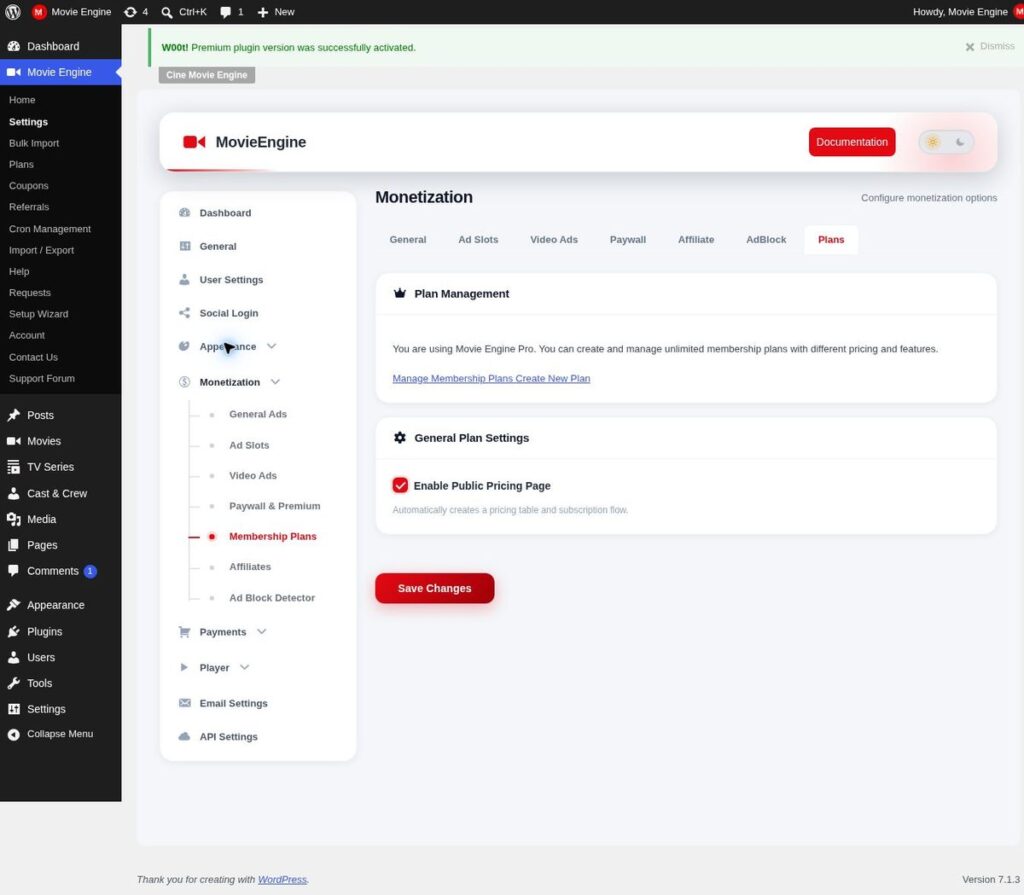
A small site asking what is HLS streaming in practical terms does not need every format at launch. Start with HLS in Free, with two or three sensible quality levels, one reliable primary source, and subtitles checked on real titles. Add a second source only when the first is proven, and add paid access only when the catalog and the audience justify it. The monetization overview in the documentation explains the available models, and current pricing for the plugin itself is separate from any prices you set for your own viewers.
Keep the rules visible where playback happens: which titles are free, included, or extra should be clear on the title page, not only at checkout. On a small site, that clarity matters as much as picture quality, because a viewer who understands the offer is more likely to return. Start with one model, test it fully, and add a second only when the first works.
Frequently asked questions
Is HLS the same as an MP4 download?
No. In answering what is HLS streaming, note that an MP4 file is usually downloaded progressively as one file, while an HLS stream is delivered as segments chosen by the player. Both can play in a browser, but only the segmented stream adapts quality level by level during playback.
Does HLS work on phones and televisions?
Yes, in general, because modern browsers and devices support segmented playback over the web. Always test on the devices your audience actually uses.
Why does quality change during playback?
Quality changes because the player is adapting to the connection. When segments arrive slowly, it drops to a lighter level to avoid a stall; when they arrive quickly, it moves back up. That change is normal behaviour for an adaptive stream, not a fault, provided playback continues.
Can a WordPress plugin handle HLS playback?
For a site build using Movie Engine, Free provides the catalog, title pages, an HLS and MP4 player with a multi-server switcher and subtitles, watchlist, Continue Watching, and a user dashboard, while Pro adds DASH players, watermarking, and paid access. The plugin is the platform; the stream preparation, source checks, and testing are still the site owner’s work.
Conclusion
A good answer to what is HLS streaming is a sequence, not a single setting: video split into segments, a correct playlist, several quality levels, a player that adapts, subtitles that match, sources that are verified, and rights that are current. Follow that order, test as a viewer, and playback stops being a gamble.
If your plan involves what is HLS streaming on WordPress, start with HLS, publish only titles you have rights to, build a browsable catalog, and test playback on slow and fast connections alike. Then read the documentation, try the live demo, and check current pricing before you commit.
Related Posts

Comments (0)