
A watchlist is the simplest promise a movie site can make: “save this film now,…
How to Create a TV Series Website with WordPress
A series site is harder to get right than a movie site: a viewer picks a series, finds the right season, then finds the next episode without losing their place. A well-built site makes that journey obvious: story and cast on the series page, seasons in order, episodes numbered, titled, described. Building a TV series website WordPress viewers can follow means getting that structure right before adding extra features.
Quick answer
A TV series website WordPress viewers trust is built in this order: pick a narrow niche, build complete series pages with seasons in order, fill in every episode with a correct number and description, add cast pages and easy browsing, then add watchlist and playback features. A TV series website WordPress site that follows that order feels reliable from the first visit, because a viewer always knows which episode comes next and where they left off.
- Niche first: one audience, one kind of series, one clear promise.
- Structure second: series, then seasons, then episodes, always in order.
- Completeness third: no missing episodes, no wrong episode numbers.
- Watching fourth: watchlist, progress, and playback that remember the viewer.
1. Pick a niche series viewers can recognise
A niche is a promise to a specific audience, and it shapes every later choice on a series site. A general site competes with every large service at once, while a focused site — classic dramas, regional series, documentaries, or a single genre — gives viewers a reason to visit yours instead of a bigger one. A narrow niche can feel complete with a modest library, and makes each new series easier to add.
Write the niche in one sentence before importing anything: audience, series type, and what makes the site different. If you cannot write that sentence, the niche is still too vague. A focused niche also keeps the homepage simple on a TV series website WordPress build, with rows for one audience instead of everyone.
2. Build the series, season, and episode structure
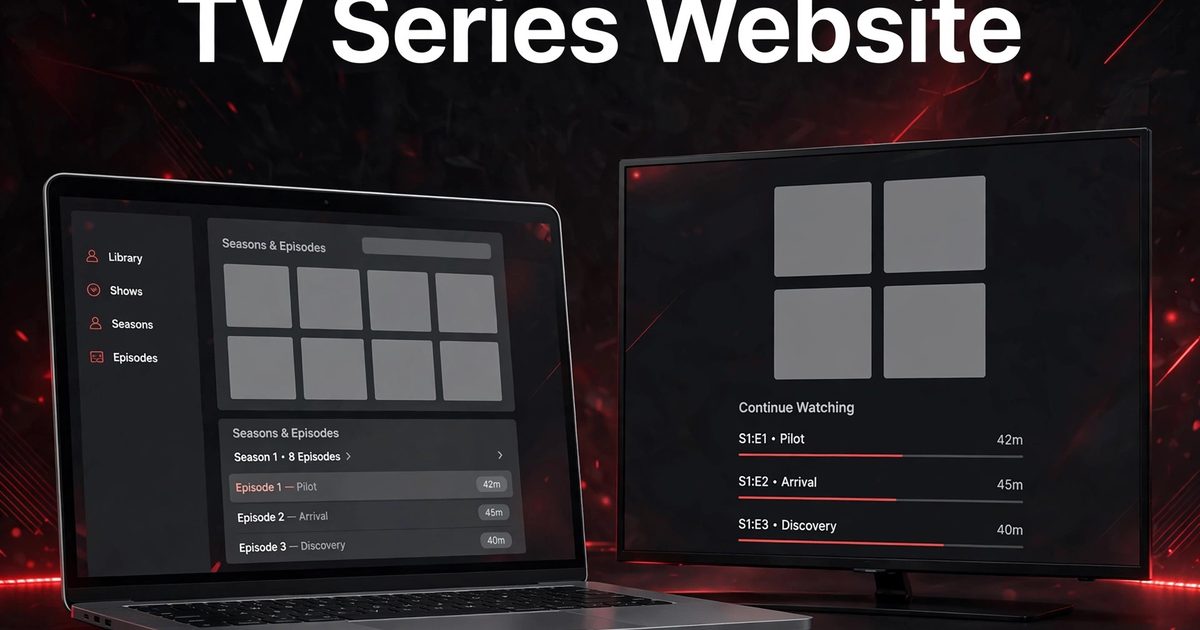
The core structure of a series site has three levels, each with a different job. The series page is the front door: overview, genres, year, cast, and rating, answering whether the series is worth starting. Season pages organise the run into blocks, usually one season at a time. Episode pages are where watching happens: each needs a number, title, description, and a link back to its season.
With Movie Engine (Free 1.0.8 and Pro 1.0.8, by ThemePul), that structure already exists: series, seasons, and episodes are separate types, with people pages and taxonomies for genre, year, country, language, and network. Free provides single-title TMDb import for series, pulling in posters, cast, and episode lists one title at a time. On a TV series website WordPress build, that three-level structure is the foundation, so check it before design work begins. Read the documentation and the installation guide before you commit, and try the live demo to see series, season, and episode pages in action.

3. Keep episode order complete and correct
Episode order is where series sites most often fail. A missing episode breaks the story, and a wrong number sends a viewer to the wrong plot point. Before launch, check the full episode list: season and episode numbers, titles, and air order should match, and specials should sit where viewers expect them.
Start small and complete rather than large and half-finished: a handful of fully described series, every episode in place, feels professional, while a site full of gaps feels unfinished. On a TV series website WordPress catalog, that discipline also protects search traffic: a complete series page gives a reader far more than a page with a title and an empty episode list.
4. Use cast and people pages to deepen discovery
Cast pages do more than fill out a page on a TV series website WordPress site: they are a second way into the catalog. A viewer who finishes a series often wants what else its lead actor made, and a people page listing their series and films answers in one click. Keep cast names spelled the same on every page, so a search for one actor does not split across two profiles.
Crew credits matter too, especially where a director or writer is the draw. Show key crew alongside the cast, linking each name to its own page. That network turns a flat list into a browsable library, and helps a smaller site look complete.
5. Make series easy to browse and search
A series catalog is more than a title list. Viewers need to find something worth starting quickly, and a series takes a bigger commitment than a film, so browsing has to earn that trust. Organise by genre, year, country, language, and network, and make search and filtering easy from the first visit. A featured title, rows for new seasons and top-rated series, and a watchlist orient a first-time visitor.
On a TV series website WordPress site, browsing should also respect how viewers actually choose a series. Many viewers browse by mood or genre first, so genre rows and curated collections matter as much as search. Keep the homepage focused: a few strong rows for one audience beat a crowded page that tries to show everything at once. On a TV series website WordPress build, the test is simple: a new visitor should pick a series, see its seasons, and reach the first episode without guessing.

6. Help viewers keep their place with watchlist and progress
Series watching happens over days and weeks, not in one sitting, so a TV series website WordPress site must remember where each viewer stopped. A watchlist lets a viewer save a series to try later, and Continue Watching should return them to the exact episode and position left. Recently Watched gives a second route back, and a dashboard gathers it all in one place.
Test this journey as a viewer. Sign up, save a series, watch part of an episode, leave, and return next day: the next episode should be one click away. Where playback is offered, test resume, subtitles, and quality selection on phones, laptops, and smart TVs, on slow and fast connections. A TV series website WordPress site that loses a viewer’s place loses the viewer, because re-finding an episode mid-season sends people back to a larger service.
7. Make series pages easy to find in search
A series page should answer: what is this series, how many seasons does it have, and is it worth starting? Put the title, overview, season list, and rating where a reader sees them immediately, in plain language. Avoid stuffing the page with repeated phrases or invented claims; a clear, complete page ranks better over time.
Movie Engine provides JSON-LD schema for TV, season, episode, and person pages, plus SEO templates, and works with Rank Math, Yoast, or All in One SEO without duplicate tags. Fill in complete facts for every series: genre, year, cast, season count, and genuine episode descriptions give search engines more to show than a title alone. A TV series website WordPress site that treats each series as a complete, findable page grows steadier than one publishing fast and leaving pages half-finished.

8. What every series page should contain
The table below turns the structure above into a checklist. Use it for every new series, and skip a row only where it genuinely does not apply.
| Part | Done when |
|---|---|
| Series overview | Short overview, genres, year, and rating open the page |
| Seasons in order | Seasons listed in order with episodes |
| Episodes complete | Episodes numbered, titled, described |
| Cast linked | Cast names link to people pages |
| Watchlist ready | Viewers can save and resume the series |
| Playback tested | Player works on phones, laptops, smart TVs |
| Facts complete | Genre, year, cast, network filled in |
| Search ready | Page title and description match viewer searches |
On a TV series website WordPress site, that checklist is also the editing workflow: a series goes live only when every row passes.

9. Choose a monetization model that fits series
A TV series website WordPress site can earn from advertising, affiliate viewing links, or paid access, but the model should fit how viewers use the site. Banner ads suit a free catalog with steady traffic, while affiliate buttons suit a discovery site that does not host video itself. Paid subscriptions and pay-per-view, available in Pro with Stripe and PayPal, suit a site offering video access, because a viewer following a series week after week is most likely to pay for uninterrupted access.
Set the rules in plain language before anyone pays: free, included, or extra. The monetization overview explains the available models, and current pricing for the plugin itself is separate from prices you set for your own viewers. On a TV series website WordPress site, start with one model, test it fully, and add a second only when the first works, so no viewer meets a locked episode halfway through a season.
Frequently asked questions
Do I need video hosting to run a series site?
No. A series site needs complete series pages, season and episode lists, cast pages, and browsing, and can send viewers elsewhere to watch through affiliate links.
How many series do I need before launch?
No fixed number works for every niche. A TV series website WordPress launch needs a small, complete set of series in one niche, with full season and episode lists in correct order, which serves viewers better than a large, half-finished catalog. Launch when a new visitor can pick a series, find the next episode, and trust what they find.
Should episodes be listed by season or in one long list?
By season, in order. A single long list hides where seasons begin and end, and makes resuming the right episode far harder.
Can a WordPress plugin run a whole series site?
For a TV series website WordPress build, Movie Engine provides the series, season, and episode structure, title and people pages, user features, and — in Pro — paid access, but the site still needs your niche, catalog work, episode checking, and moderation. The plugin is the platform; the series site is what you build on it.
Conclusion
A strong series site is a sequence: niche, three-level structure, complete episode order, linked cast pages, easy browsing, remembered progress, findable pages, one clear monetization model. Follow that order, keep each step small and checkable, and launch becomes the moment a working site meets its first viewers.
If your plan is a TV series website WordPress build, start with the niche sentence, build one complete series with every season and episode in order, test watchlist and resume, and publish only complete pages. Then read the documentation, try the live demo, and check current pricing before you commit.
Related Posts



Comments (0)